
It is common to find extremely organized profiles on Social media coordinator. This is clearly due to the care that the user takes with their feed. One of the options that makes a profile stand out is the photo mosaic, which we have already taught you how to do here. But now, I have brought another tutorial that can help make your profile more beautiful and standardized.
First of all, it's worth mentioning that I did this tutorial on an Android smartphone, but the steps are the same for iOS users. See how to change the cover photo of an Instagram highlight by following the steps below:
How to change the cover photo of an Instagram highlight
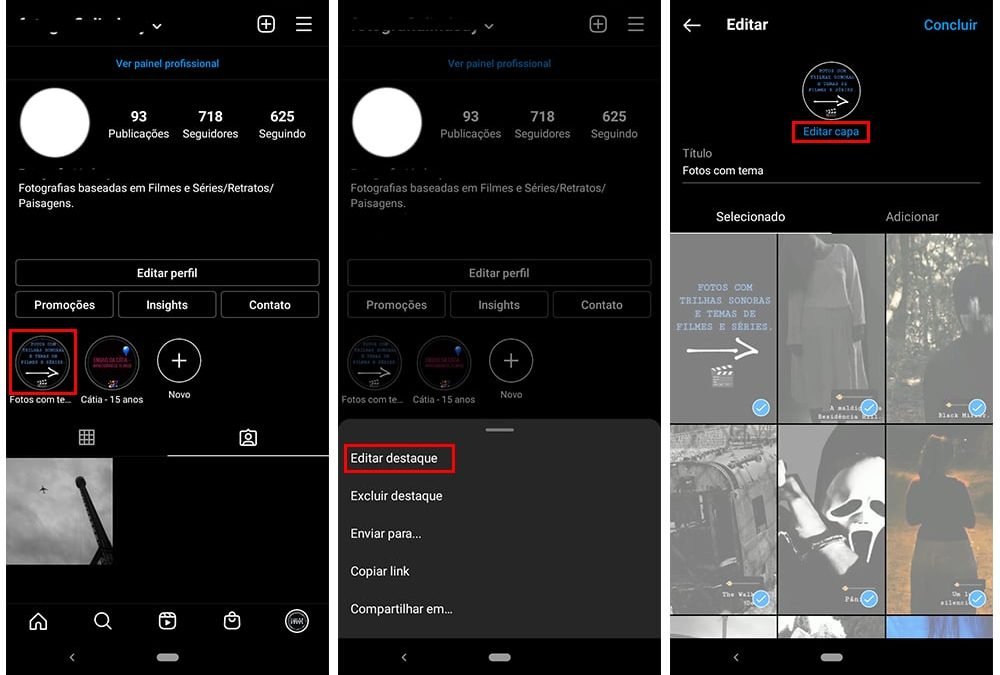
- First, log into your Instagram account through the app and access your profile.
- Then, tap and hold on the highlight you want to customize. When the tab at the bottom opens, tap the “Edit Highlight” option.
- Once this is done, an editing tab will open. There, you must select the “Edit cover” option, located below the current photo. See the images below:
- Now, you can select one of your stories within this highlight to set it as the cover. Or, if you prefer, by tapping the portrait icon (as in the first image below), you can take any other photo from your phone's gallery.
- Select the photo and arrange it the way you want within the circle by dragging it up or down.
- When everything is ready with your new cover, tap the arrow and then “Finish”.
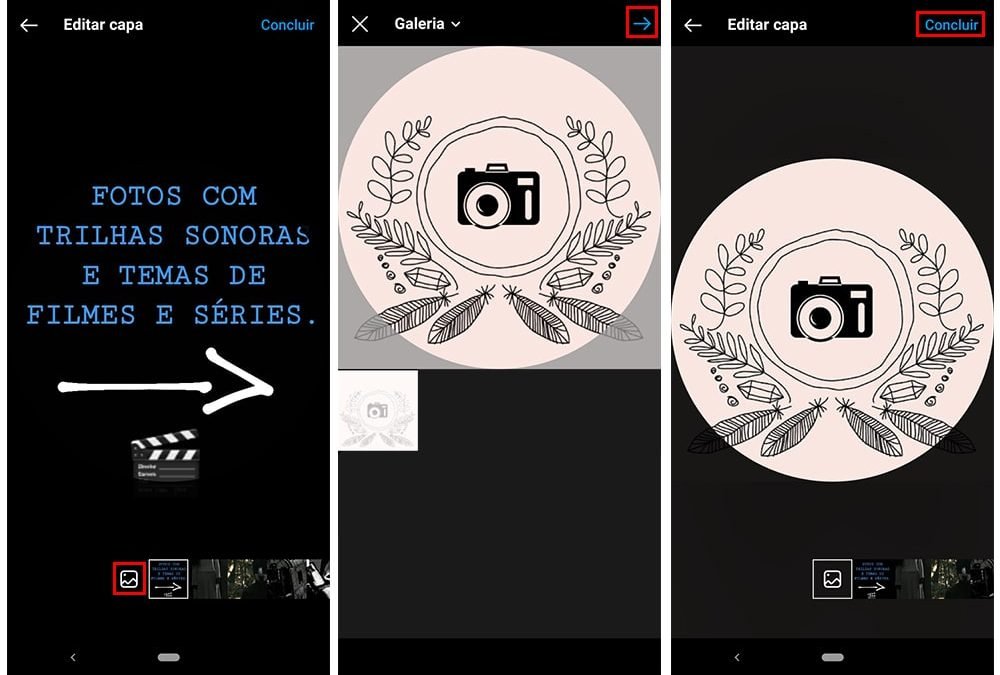
There you have it, your highlight cover photo has been changed. There are several models of icons and images that follow the same design that you can download from the internet. So, instead of defining a Story as the cover, it is worth considering making your Instagram more attractive and organized with standard icons and correct sizes.
Check out other tips from Vida Celular: How to remove photo tag on Instagram on mobile e How to avoid being added to a WhatsApp group without your permission.
Image: Alexandra Iakovleva/iStock