
Is your phone's USB-C cable coming loose? The USB Type-C connector, or simply USB-C, has been a very welcome format. In addition to providing more power, it also allows you to create a hub to connect multiple devices.
And, most importantly, he managed to solve a crucial problem for humanity: connecting the cable to the cell phone without having to worry about checking to see if it is on the right side. No more dark nights turning the micro USB cable around to get the right fit!
But, as nothing is perfect in this world, the USB-C connector has also caused some headaches. The website Thought Worthy reported a case that may be happening to many people.
The author of the article reports that the cable began to come loose from the cell phone easily. And especially when he was driving. The phone was in a holder attached to the car's dashboard and, if there was any vibration, the cable would come loose.
He realized that the shape of the USB-C connector, being completely smooth, helped with disconnection. This is different from the micro USB connector, which had a small raised tab that served as a lock.
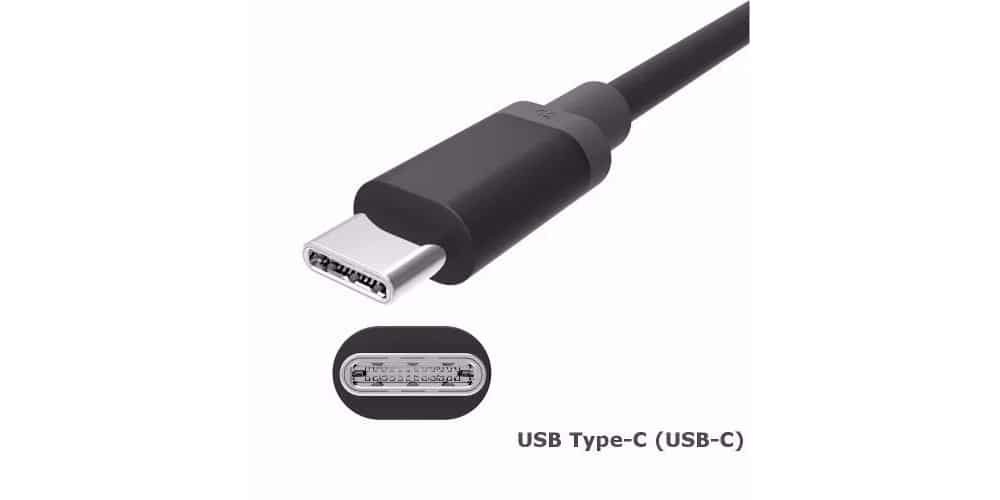
The metal part of the USB-C connector is all smooth. That's why it can come loose from the phone's USB-C port when there's a lot of dust on it.
USB-C connector coming loose: how to fix it
The problem isn't with the USB-C cable, but with the buildup of dirt on the phone's connector. These are tiny lint-free fabric particles that accumulate on the connector when it's in your pocket. Add to that the dust from everyday life and the USB-C cable starts to slip out of the connector and cause poor contact. Even bumping the cable while the phone is charging on a table can cause the problem.
Fortunately, it is easy to fix with a simple procedure. Just be careful, as you will need a sewing needle. First, turn off your phone. Now, carefully pass the tip of the needle inside the USB-C connector of your phone, all around it, to remove and even detach any dust particles.
There is no need to force it, just apply adequate pressure across the connector to scrape off any dirt or lint. If necessary, use a flashlight to check that it is really clean. With this simple process you will prevent the USB-C cable from coming loose from your phone.
Read also here on VC:
Samsung will imitate the Apple and take the charger out of the box?