
Version 8 of Google Camera stands out for bringing significant advances in camera framing. Now, the presence of two level indicators – one yellow on top and one white – helps to align frames close to the ideal proportion. For those who don't know, GCam is the camera app that comes pre-installed on Google's Pixel line of smartphones.
How to align a photo in Google Camera
To activate the virtual horizon indicator, simply place the pixel at rest in the most upright position possible. Then, when both lines appear in the center, try adjusting the horizontal tilt axis until they overlap and form a bold yellow line. This will ensure that the phone is 100% perpendicular and help you capture distortion-free images, which are useful for framing architectural buildings or landscapes. On the Pixel 4a, you may even feel a slight vibration when the frame is aligned.
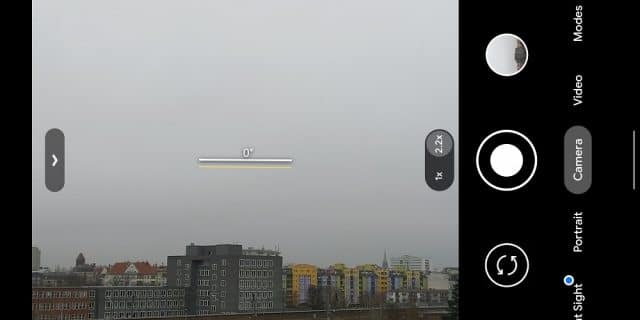
Google Camera's virtual horizon on the Pixel 5 with misaligned indicators (Reproduction/Android Central)
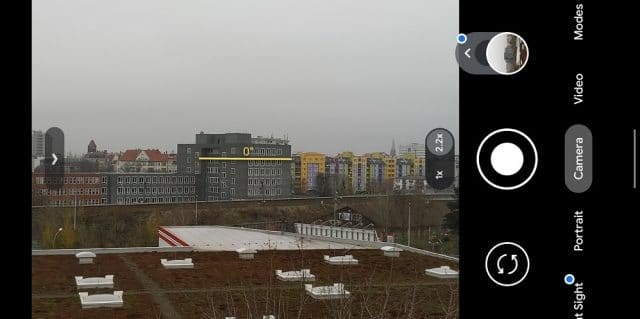
Google Camera's virtual horizon on the Pixel 5 is already aligned (Reproduction/Android Central)
If you accidentally rotate your phone while taking a photo, the indicator will show you how tilted the image is in degrees. And if you still don't mind the tilt of your phone, the Google Camera indicator will also help you align a perfectly horizontal image.
In the case of top-down photos – ideal for documents, for example – the procedure is similar. Just hold the Pixel straight (as far as possible) until the two indicators appear to align and frame the image.
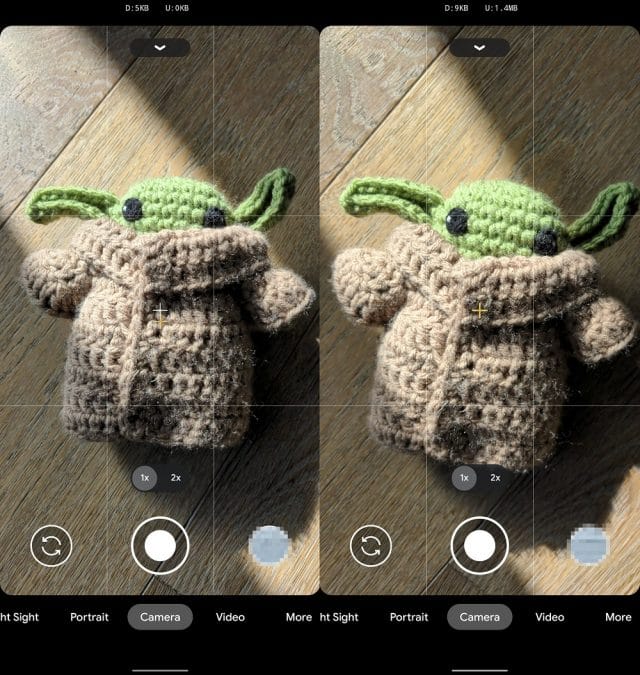
Google Camera framing in vertical images (Reproduction/Android Police)
It's important to note that some companies have already introduced similar options much earlier. You've found similar features in the iPhone camera for some time now, for example.
The new Google Camera updates are now available on the Play Store. If you don't have the package on your Pixel phone, try sideloading it via APKMirror.
Image: Daniel Romero/Unsplash.
Through which channels you reach those people, classic and out of the box. Android Police.